Coming Soon AutoCAD Plugin

GapDetector

Find and Fix Drawing Gaps in Seconds — Not Hours

A production-quality AutoCAD plugin that automatically detects gaps between drawing entities and fixes them with one click — eliminating failed hatches, broken toolpaths, and costly downstream errors.

14 Languages
AutoCAD 2021-2026
208 Automated Tests
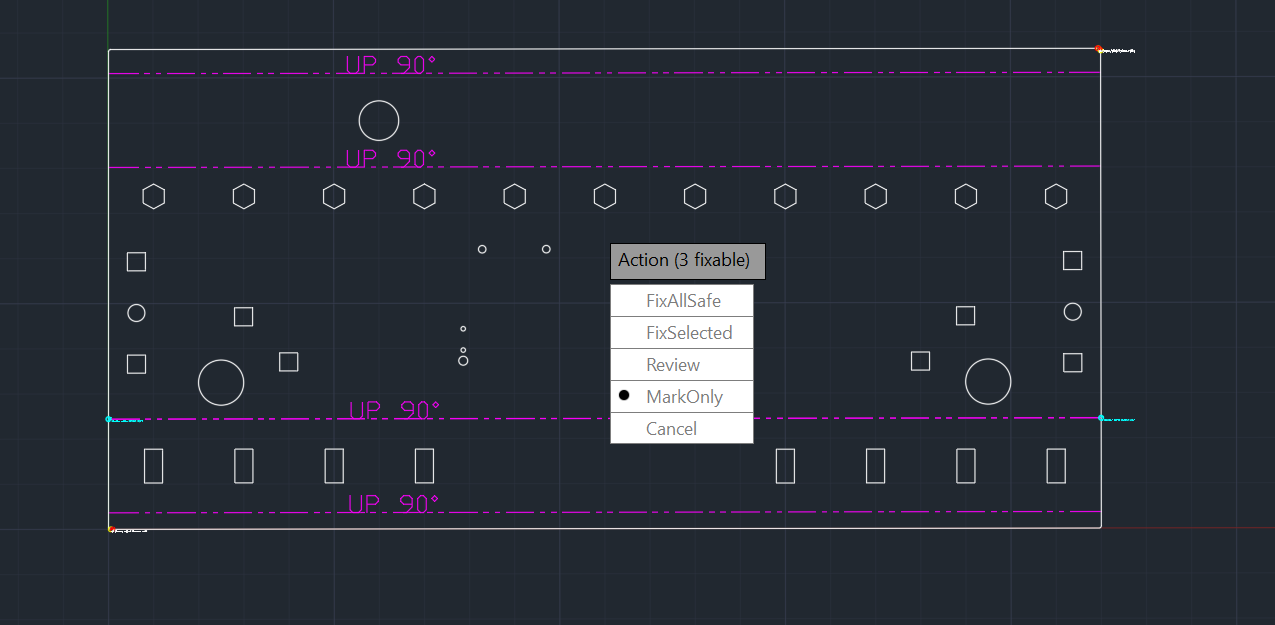
GapDetector action menu showing FixAllSafe, FixSelected, Review, and MarkOnly options

Why GapDetector?

Gaps in drawings cause silent failures that waste time, materials, and money. GapDetector catches them before they become expensive problems.

Hatches That Fail or Leak

Hatches that won't fill or bleed through boundary gaps, requiring manual boundary tracing.

Offset/Trim/Fillet Failures

Commands that skip entities or produce unexpected results due to invisible micro-gaps.

CNC/Laser Toolpath Breaks

Toolpaths that lift and retract at gap points, causing quality issues and extended cut times.

Wrong Area Calculations

Area and perimeter calculations return incorrect values due to open contours that should be closed.

QA Review Cycles

Drawings that keep bouncing back from QA for gap-related fixes, slowing down project timelines.

Coordination Issues

Gaps created when combining work from multiple disciplines, leading to downstream conflicts.

How GapDetector Works

Intelligent gap detection with smart classification and one-click fixes — fully integrated into your AutoCAD workflow.

Intelligent Gap Detection

Analyzes entity endpoints with configurable tolerance. Finds gaps human eyes miss — from micro-gaps to obvious breaks.

Smart Classification

Categorizes gaps by type: true gaps, micro-gaps, collinear lines, overlapping geometry, arc connections, and closed contour contacts.

One-Click Auto-Fix

Automatically extends, trims, or connects entities to close gaps. Review changes before committing or let GapDetector fix all at once.

Interactive Review Mode

Step through detected gaps one by one. Zoom to each location, review the fix preview, and approve or skip individually.

Clear Visual Markers

Color-coded markers highlight gap locations. Easily see what was detected and what needs attention.

AutoCAD Integration

Native AutoCAD ribbon integration. Access GapDetector from the Plug-Ins tab or type commands directly.

Gap Classification System

GapDetector doesn't just find gaps — it understands them. Each detected gap is classified by type and assigned a confidence score to help you prioritize fixes.

True Gaps Open endpoints with clear separation
Micro-gaps Sub-tolerance gaps (< 0.001 units)
Collinear Lines Lines on same path with gap between
Overlapping Entities that cross but don't connect
Arc Connections Arc/fillet endpoints needing alignment
Contour Contacts Closed contour start/end misalignment

Confidence Scoring

Each gap receives a confidence score (0-100%) indicating fix reliability. High-confidence gaps can be auto-fixed; lower scores are flagged for manual review.

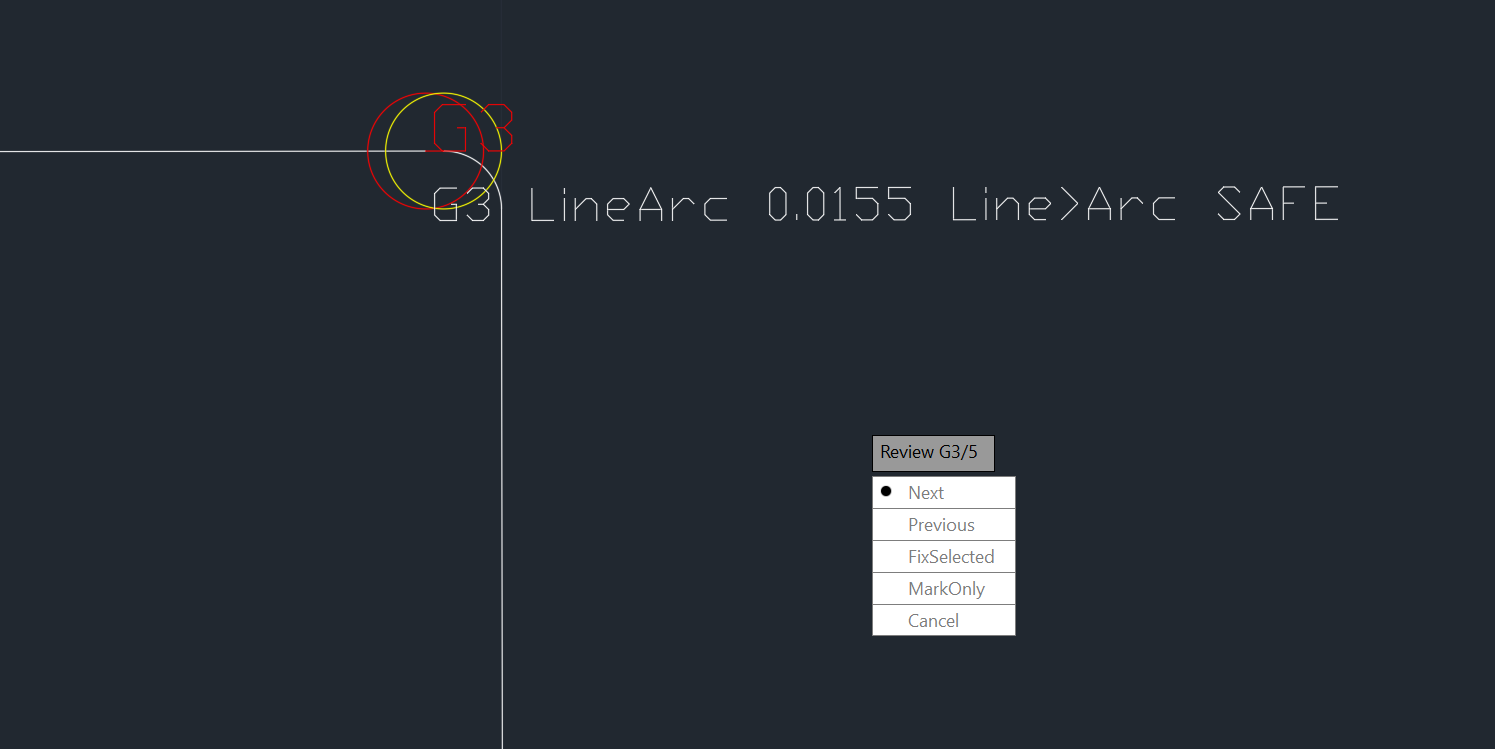
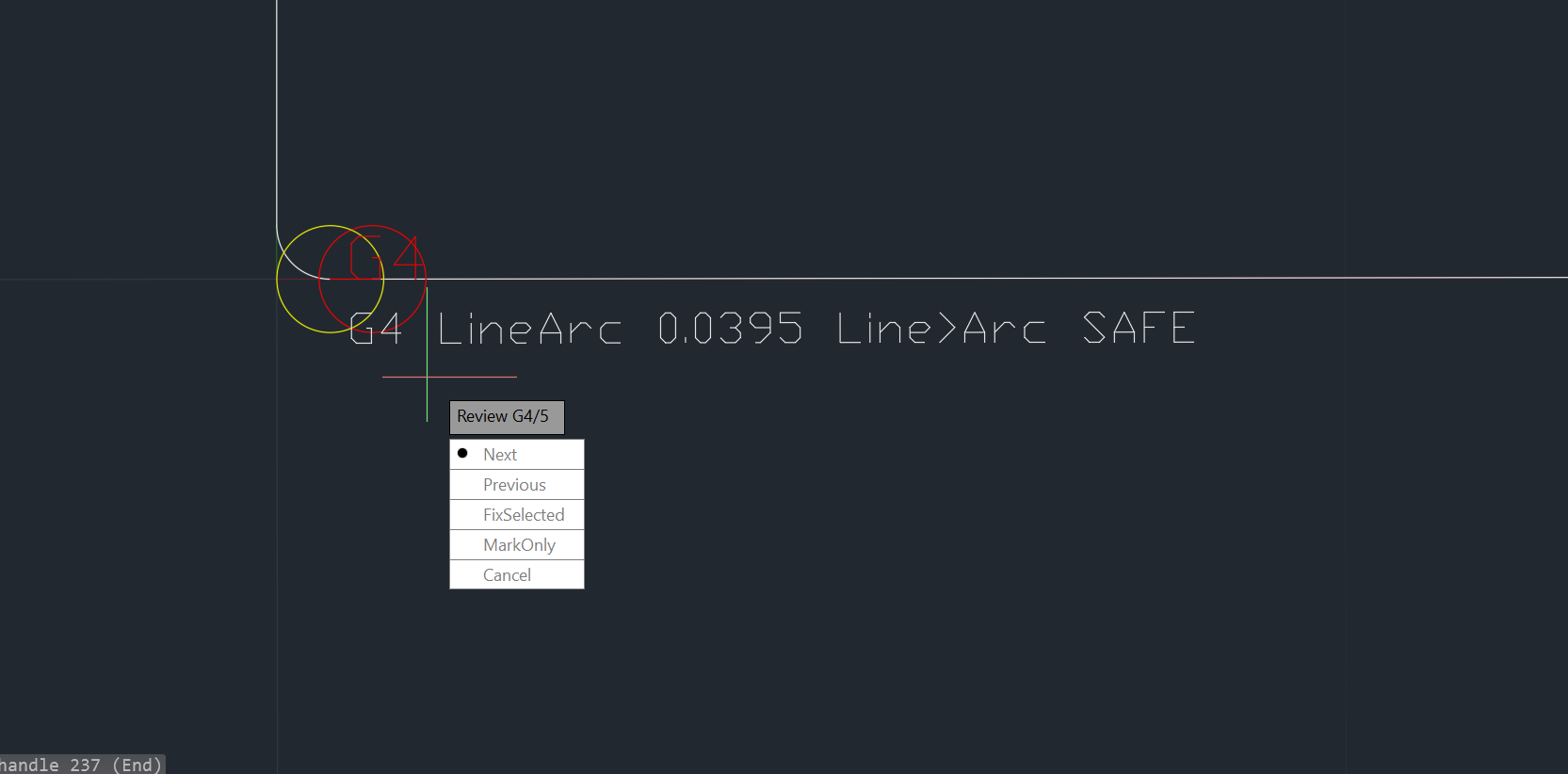
GapDetector showing LineArc gap marked as SAFE GapDetector gap with overlay markers

Command Line Interface

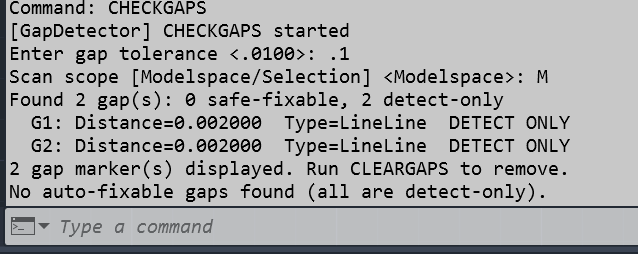
Run CHECKGAPS from the command line for quick gap detection.

CHECKGAPS command output showing detected gaps

Supported Entity Types

GapDetector analyzes gaps between all common 2D entities, with 10 pair combinations for comprehensive coverage.

Lines

Straight line segments

Arcs

Curved segments

Circles

Full circles

Ellipses

Elliptical shapes

Polylines

2D polylines, lightweight polylines, and polyline segments

10 Entity Pair Combinations

Line ↔ Line
Line ↔ Arc
Line ↔ Circle
Line ↔ Polyline
Arc ↔ Arc
Arc ↔ Circle
Arc ↔ Polyline
Circle ↔ Circle
Circle ↔ Polyline
Polyline ↔ Polyline

Who Uses GapDetector?

If you've ever spent hours hunting down why a hatch won't fill, GapDetector was built for you.

CAD Drafters & Designers

Creating clean, hatch-ready drawings without manual gap hunting

CAD Managers & QA Teams

Enforcing drawing quality standards before release

Fabrication & CNC Shops

Ensuring clean toolpaths for laser, plasma, and waterjet cutting

Architects & Engineers

Preparing drawings for accurate area calculations and compliance

GIS & Survey Teams

Cleaning up imported field data and survey boundaries

Construction Estimators

Getting accurate area measurements for material takeoffs

Time & Cost Savings

GapDetector pays for itself in days, not months. Here's the math.

Manual vs. GapDetector

Drawing Complexity Manual Time GapDetector Time Time Saved
Simple (< 100 entities) 15–30 min 1–2 min ~25 min
Medium (100–500 entities) 1–2 hours 3–5 min ~1.5 hours
Complex (500+ entities) 3–6 hours 10–15 min ~5 hours

Annual Savings Per Drafter

Weekly time saved ~3 hours
Annual time saved ~140 hours
Annual cost saved $6,250 – $10,500

Based on $45–$75/hour fully loaded labor cost

Team Scaling

1 drafter 140 hrs → $6,250–$10,500
3 drafters 420 hrs → $18,750–$31,500
5 drafters 700 hrs → $31,250–$52,500
10 drafters 1,400 hrs → $62,500–$105,000
20 drafters 2,800 hrs → $125,000–$210,000

Downstream Cost Avoidance

CNC Rework Prevented

$2,000–$20,000/yr

Scrap parts and machine time

QA Cycles Saved

200–400 hrs/yr

Fewer review iterations

RFIs Avoided

$1,000–$7,500/yr

Construction clarifications

Accurate Takeoffs

Material accuracy

Correct area calculations

Total Annual Value

For a 5-drafter team including downstream cost avoidance

$43,250 – $110,000+

Payback in days, not months

Commands

CHECKGAPS
Main command. Scans selected entities or entire drawing for gaps. Displays results panel with gap locations, classifications, and fix options.
CLEARGAPS
Removes GapDetector markers and highlights from the drawing without modifying geometry.

Configuration

GapDetector works out of the box with sensible defaults. Customize when needed.

  • Gap tolerance setting

    Define what constitutes a "gap" (default: 0.001 units)

  • Ribbon integration

    Access from AutoCAD's Plug-Ins tab

  • Auto-fix confidence threshold

    Set minimum confidence for automatic fixes

  • Marker color customization

    Choose colors for gap highlighting

System Requirements

AutoCAD 2021–2026

Including verticals: Civil 3D, MEP, Architecture, Map 3D, Mechanical

Windows 10/11 (64-bit)
.NET Framework 4.7.2+ or .NET 6.0+

Depends on AutoCAD version

macOS not currently supported

Need macOS support? Let us know

Installation

Install GapDetector in three simple steps:

1

Download from App Store

Access the Autodesk App Store from AutoCAD's Manage tab or visit apps.autodesk.com

2

Run the Installer

Double-click the downloaded installer — the setup wizard handles everything automatically

3

Restart AutoCAD

Restart AutoCAD to activate the plugin — GapDetector commands are ready to use

Quality & Reliability

GapDetector is built to production standards with comprehensive testing and safety features.

208

Automated Tests

Comprehensive test coverage for all gap types and entity combinations

Post-Fix Verification

Every fix is verified to ensure the gap is actually closed

One-Step Undo

All fixes run in a single transaction — Ctrl+Z reverts everything

Multi-Framework

Supports both .NET Framework and .NET 6+ for all AutoCAD versions

Pricing

Simple, Transparent Pricing

One product, one price. No hidden fees, no feature tiers.

Monthly

$50

per user / month

Flexible month-to-month billing

Cancel anytime

BEST VALUE

Annual

$500

per user / year

Save $100 (2 months free)

Billed annually

7-day free trial with full features — no credit card required

All plans include:

Gap detection & auto-fix
Unlimited drawings
Free updates
Email support

Be the First to Know

Sign up below and we'll notify you the moment GapDetector is ready for launch.

Coming Soon — Sign up to be first in line.